
Quick Answer
What to Know Before Buying Lumber Inventory Software
Lumber inventory software is a system designed to track and manage lumber the way it actually exists in a yard: multiple units of measure per item, tally-based receipts and shipments, species and grade attributes, bundle and break-bulk activity, and real-time visibility across yards, mills, warehouses, and trucks. The right system fits how lumber moves, not how a generic warehouse template assumes inventory behaves. Evaluate it against your real workflows, not a feature checklist.
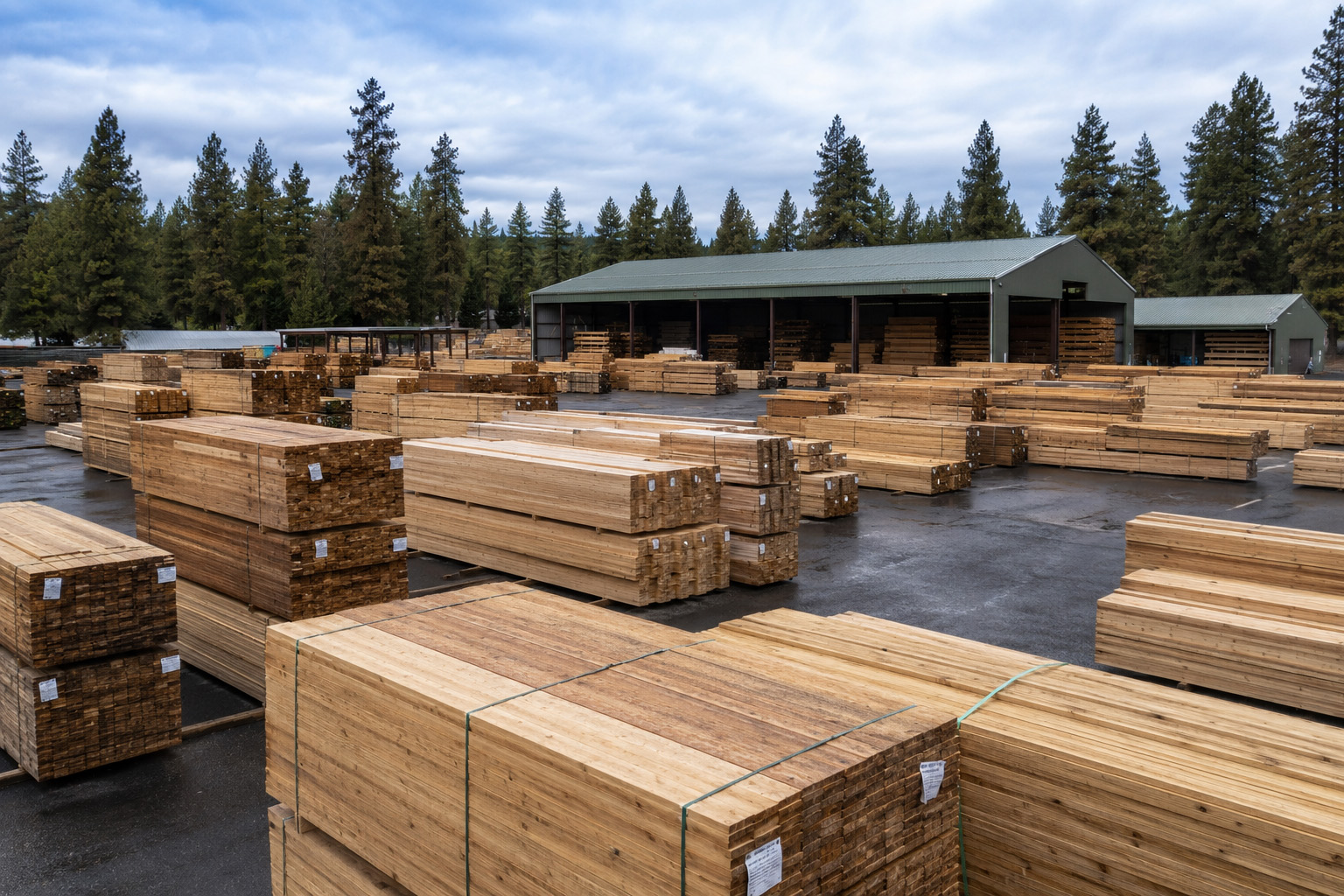 If your inventory system thinks one 2×4 equals one SKU, it does not understand lumber.
Lumber is the hardest inventory problem in the building materials industry. A single item can be purchased in cubic meters, received and tracked by board feet, and sold by lineal feet or per piece. Species, grade, size, length, surfacing, and treatment all matter.
Generic inventory software was built to track widgets. Stocked in one unit, sold in one unit, counted by piece, sitting on a shelf. None of that is true in a lumber yard. Lumber demands software that was built for lumber.
If you are running a lumber yard, distribution center, remanufacturing operation, treatment facility, or wholesale building materials business, this guide is written for you. RDB Solutions is a lumber software company in Bend, Oregon, founded in 1993. We have built two purpose-built systems for the lumber industry: Inventory Expert, a focused lumber inventory management platform, and Lumber Expert, an integrated ERP with native inventory management built directly into the system.
We have watched a lot of yards shop for software. We have also watched a lot of yards install software that looked clean in a demo and broke the moment a real load showed up at the receiving deck.
This guide walks you through how to evaluate lumber inventory software the way an experienced operator would.
What Lumber Inventory Software Actually Is
Lumber inventory software is a system that tracks, manages, and optimizes the movement of lumber and building materials through a business. At a minimum, it should record what is received, where it sits, what is sold, what is shipped, and what is left on hand. The difference between adequate inventory software and lumber-ready inventory software is in how the system handles the realities of the product itself.
A generic inventory system assumes that every item has a single unit of measure, a fixed quantity, and a static SKU. Lumber inventory software treats each item as a multi-dimensional object that can be received in one unit, stocked in another, and sold in a third, with automatic conversion between them. It tracks tally detail, manages bundles and break-bulk transactions, assigns location and bin attributes at the yard level, and supports the variability that comes with real lumber: random lengths, mill overruns, tally variances, treatment changes, and remanufacturing.
The category sits between generic warehouse management software (too narrow, no lumber logic) and full lumber ERP software (broader, includes accounting and dispatch). For some businesses, a standalone inventory system like Inventory Expert is the right call. For others, especially wholesalers, traders, and multi-entity operators, the inventory function is best handled inside an integrated ERP like Lumber Expert, where inventory data flows directly into purchasing, sales, dispatch, and accounting without the gaps that come from stitching separate systems together. We will cover both paths later in this guide.
The point is that lumber inventory software exists as its own category for a reason. The lumber industry is too specialized for generic tools and too operationally focused for software that treats inventory as an afterthought to accounting.
Why Generic Inventory Software Fails in a Lumber Yard
Generic inventory tools fail in lumber yards for predictable reasons. Understanding these failure points tells you what to look for, and what to walk away from.
The first failure is units of measure. Generic systems assume one item equals one unit. A lumber item is bought by the truckload, stocked by the unit, sold by the thousand board feet, and counted by the piece for cycle counts. If the system cannot move cleanly between those units in real time, every transaction introduces error and every audit becomes a reconciliation project.
The second failure is tally management. A generic inventory system treats a tally mismatch as an exception requiring a manual adjustment. A lumber-specific system treats it as normal business and reconciles the variance inside the transaction, with audit trail intact.
The third failure is product attributes. Lumber is not defined by SKU. It is defined by species, grade, dimension, length, surfacing, treatment, mill of origin, and sometimes moisture content. Generic systems force these into custom fields that the rest of the software does not understand. The result is reporting that misses the differences between what looks like the same product on paper but is priced and sold differently in practice.
The fourth failure is yard reality. Lumber lives in piles, packs, and bundles, scattered across yards, warehouses, sheds, and trucks. A generic system assumes neat shelves and bin locations. A lumber system supports pile and pack identification and the practical reality that material moves around the yard for operational reasons, not just at the moment of shipping.
The fifth failure is integration with the rest of the business. Inventory in a lumber operation does not live alone. It connects to purchasing, sales, dispatch, and accounting. A generic system that does not communicate cleanly with the rest of the business creates data silos that get patched with spreadsheets and tribal knowledge. That always works, until it does not.
These are not edge cases. They are the daily reality of running a lumber operation.
The Five Inventory Realities Every Lumber System Must Handle
Every lumber business shopping for inventory software should evaluate vendors against five realities. If the system cannot handle all five natively, without custom code or workarounds, it is not lumber-ready.
Reality 1: Multiple Units of Measure on a Single Item
A lumber item exists in many units simultaneously. The same kiln-dried 2x4x8 might be purchased by the truckload, received as random-length packs, inventoried by the unit and the piece, sold by the thousand board feet, and shipped on a partial pack pull. The inventory system must convert between every relevant unit automatically and accurately, in real time, without forcing the operator to do mental math at the keyboard.
Ask the vendor to demo a three-unit-of-measure item from purchase to sale. Watch what happens when a partial pack is pulled. If the system requires a manual adjustment to balance the units, it is not lumber-ready.
Reality 2: Tally Detail and Tally Variance
Tally management is the single hardest data problem in lumber inventory. A mill might tally a load at 24,832 board feet. The receiving deck tallies it at 24,712. The shipping tally to a customer measures 24,540. None of those numbers are wrong. They reflect different counts at different moments. The inventory system must capture each tally, reconcile the differences, and report variance without flagging every load as an exception.
Look for systems that record tally at every touchpoint, support both pack-level and piece-level detail when needed, and allow the operator to identify and accept normal variance without an accounting workaround.
Reality 3: Multi-Dimensional Product Attributes
Lumber is defined by species, grade, dimension, length, surfacing, treatment, and often mill of origin. Two loads of the same nominal product from two different mills are not the same inventory item. The system must treat each attribute as a first-class field that is searchable, reportable, and convertible.
This is the difference between a system that lets you find inventory by “2×4” and a system that lets you find “Doug Fir 2x4x8 KD HT, Mill A, 14 packs.” The second system runs lumber. The first runs lumber by accident.
Reality 4: Bundle, Pack, and Break-Bulk Activity
Lumber is bought and stocked as bundles or packs but sold as pieces, partial packs, mixed pulls, and break-bulk orders. The inventory system must track at both levels and reconcile activity across them. A 14-pack arrival of 2x4x8 might end up as 11 full packs sold to a wholesaler, two partial packs pulled for retail, and a remainder consumed by remanufacturing. The system must reflect the full chain without the operator manually creating new SKUs or transferring inventory between phantom locations.
Ask the vendor how the system handles a partial pack sale and a subsequent partial pack sale from the same source pack. The answer should be two transactions, two ship events, and clean inventory math. If it is anything more complicated, the system is fighting lumber.
Reality 5: Multi-Location Yard, Mill, and Truck Visibility
Lumber inventory does not sit in one place. It lives across multiple yards, warehouses, mills, satellite locations, and increasingly, in transit on company trucks. The inventory system must show real-time stock by location, support transfers between locations cleanly, and allow inventory in transit to be visible to traders and salespeople before it physically arrives.
Look for systems that support multiple location attributes and the ability to manage inventory at the location, sub-location, and pile or bin level. A salesperson who cannot see what is rolling on a truck two days out is a salesperson who oversells inventory and disappoints customers.
The Feature Set That Makes Lumber Inventory Software Work
Once a system handles the five realities above, the next layer of evaluation is the feature set. These are the operational tools that turn good inventory data into a working business. Treat this as a buyer’s evaluation checklist, not a guarantee that every lumber-specific platform delivers all of them. Vendors differ in depth, and the right system for your business is the one that delivers the features that matter most to your specific operation.
Real-Time Inventory Tracking Across Locations
Live stock visibility is the foundation. Every transaction (receipt, transfer, sale, shipment, adjustment) must update inventory in real time, across every location. Salespeople, traders, and dispatch all need to see the same numbers at the same moment.
Order and Sales Integration
The inventory system must connect to sales. Quote-to-order-to-invoice-to-ship should be a single chain, with inventory committed at time of order, relieved at time of shipment, and billed at invoice, all without re-keying. If the inventory system lives separately from sales, you will pay for the gap in oversold inventory and reconciliation work.
Purchasing and Supplier Management
Purchase orders, vendor management, expected receipts, and purchase variance reporting all belong inside the inventory system. The connection between purchasing and receiving is where most generic systems fall apart. Lumber-specific software handles the unit-of-measure conversion, tally variance, and landed cost allocation cleanly inside the receipt transaction.
Reporting, Analytics, and Forecasting
Inventory data is operational fuel. The system must produce inventory turnover by product, margin by customer, aging by location, and demand forecasting by season. The best systems push these into dashboards that operators read at a glance, not into PDF reports that get emailed once a month.
Integration With Accounting and Dispatch
Inventory connects to the rest of the business. The system must integrate cleanly with accounting (so cost of goods sold posts correctly) and with dispatch (so loads roll out on time). A vendor that cannot describe the integration model in detail is a vendor who will hand you problems after the contract closes.
Standalone Inventory Software vs Lumber ERP
A standalone system handles the core inventory workflow: purchasing, sales orders, dispatch, and inventory tracking, without the full accounting, trader, and multi-entity modules that a complete ERP carries. RDB Solutions’ Inventory Expert is built for this path: a focused lumber inventory platform with purchasing, sales orders, and dispatch included, for operations that want lumber-ready inventory without committing to a full ERP install.
Standalone Lumber Inventory Software
A standalone system focuses on inventory management without integrated accounting, sales, or dispatch. It connects to other systems through integrations.
Standalone is the right call when the business already has accounting it wants to keep, when the inventory complexity is the primary problem, when implementation budget is limited, or when the business is small enough that integrated complexity outweighs the benefit. Standalone systems are typically faster to install and lower in upfront cost.
The trade-off is integration overhead. Every connection to accounting, sales, and dispatch is a place where data can drift, sync delays can cause oversells, and reporting can produce two versions of the truth.
Full Lumber ERP
A full lumber ERP includes inventory as one of many integrated modules. Accounting, purchasing, sales, dispatch, reporting, and inventory all live in the same system, on the same database.
ERP is the right call when the business needs full transactional integration, when scale or multi-entity complexity makes data silos expensive, when the inventory function is tightly coupled to dispatch and trader workflows, or when the leadership team values one source of truth across the operation. RDB Solutions’ Lumber Expert is a purpose-built ERP for lumber wholesalers, distributors, remanufacturers, and treatment centers, with native inventory built into the core of the system. For a deeper walkthrough of the full ERP evaluation process, read our companion guide on how to choose ERP software for your lumber business.
The trade-off is implementation scope. ERP projects are larger, longer, and more involved than standalone inventory installations. The investment is higher upfront, but the operational return compounds over years.
Hybrid Approaches
Some businesses run a hybrid: a lumber-specific inventory system tightly integrated with a separate accounting platform. This can work, but it requires careful planning, strong integration discipline, and a vendor on each side that takes ownership of the connection. Done well, hybrid is a reasonable middle path. Done poorly, it is the worst of both worlds.
The best inventory category for your business is the one that fits your operation today and gives you a clean upgrade path tomorrow. Lumber Expert is built for operations that want inventory, purchasing, sales, dispatch, and accounting working from a single source of truth, with the lumber-specific logic that generic ERPs cannot replicate.
Common Mistakes Lumber Buyers Make When Choosing Inventory Software
Certain patterns show up again and again in failed lumber inventory software projects. Watch for these during the evaluation.
The first mistake is choosing a generic inventory system because the price looked attractive in the comparison spreadsheet. Generic systems fail in lumber yards in ways that are not visible until they are installed. The cost of switching is far higher than the cost of choosing the right system the first time.
The second mistake is prioritizing feature lists over workflow fit. A vendor who can check 200 feature boxes is not necessarily a vendor whose software runs lumber. The right question is not “does it have this feature” but “how does this software handle a partial pack pull on a back-to-back trader deal.” Workflows matter more than feature counts.
The third mistake is skipping the implementation conversation. The product is one purchase. The implementation is the second purchase. A vendor who treats implementation as an afterthought will deliver a system that goes live broken.
The fourth mistake is not mapping the actual workflow before evaluating vendors. Most operations have a process manual that describes how things are supposed to work and a daily reality that looks nothing like it. Map the daily reality first. Evaluate against that, not against the manual.
The fifth mistake is buying for today’s volume instead of tomorrow’s growth. The right inventory system should handle the business at three times current scale without breaking. If the vendor cannot describe how the system grows with the business, the business will outgrow the system.
How to Evaluate Lumber Inventory Software
A serious lumber inventory software evaluation should take three to six months, not three to six weeks. Rushing the decision is the most common reason these projects fail.
Start with internal discovery. Document your actual workflows: how a load gets received, how inventory gets moved across the yard, how an order gets pulled, how a tally variance gets recorded, how cycle counts get reconciled. Document the daily reality, not the documented procedure. Identify the three to five inventory pain points that are costing you the most money each month.
Shortlist three to four vendors. Do not shortlist more. Evaluating too many dilutes the process and slows the decision.
Run a structured demo with each vendor, using your actual scenarios. Provide sample data in advance. Ask each vendor to demonstrate how the system handles a real receipt with tally variance, a partial pack pull, a multi-location transfer, and a customer order that pulls from inventory in transit. Watch carefully. Note where the system flows naturally and where the operator has to fight it.
Check references. Call at least two current customers per vendor. Ask them what they wish they had known before signing. Ask how the system handled their first physical inventory, their first complex tally variance, and their first integration challenge. Ask whether they would buy it again.
Score each vendor against the five inventory realities and the feature set above. Do not let any vendor skip a reality. A system that handles four out of five is a system with a daily weakness you will live with for years.
Negotiate the contract with eyes open. Understand total first-year cost (license, implementation, training, data migration, support), not just the license fee. Understand the upgrade path, the renewal structure, and what happens if you decide to leave.
Red Flags to Watch For
Certain patterns reliably signal trouble during the evaluation. Pay attention to these.
A vendor whose demo uses non-lumber industries to illustrate features. A vendor who cannot show a live customer running a real lumber transaction in the system. A vendor who asks for a signed contract before completing a workflow demo. A vendor whose implementation team is scheduled months out and whose go-live is one of many in a queue. A vendor whose support hours do not match the hours your operation actually runs. A vendor who cannot describe data migration in detail. A vendor whose pricing model becomes expensive as soon as you add users, locations, or transaction volume. A vendor whose “lumber experience” is a single page on the website and a customer logo wall.
One of these is a warning. Two or more is a reason to walk away.
Questions to Ask Every Lumber Inventory Software Vendor
Before any contract conversation, get the vendor’s answers in writing.
- How many lumber customers are currently live on the platform?
- How many units of measure can be assigned to a single item, and how are they converted in real time?
- How does the system handle a tally variance between a purchase order, a receipt, and a shipment?
- Can the system track inventory at the pack and piece level on the same item?
- How does the system handle a partial pack pull, and how is the remainder tracked?
- How does the system handle multi-location inventory and transfers between locations?
- How does the system integrate with accounting, sales, and dispatch?
- What is the average implementation timeline for a business of our size?
- What happens if a data migration surfaces unexpected complexity during implementation?
- How is support delivered after go-live, and what are the published response times?
- What is the total first-year cost, including software, implementation, training, data migration, and support?
The answers will tell you whether the vendor is a lumber specialist or a generalist with a lumber page on the website.
Who Needs Lumber Inventory Software
Lumber inventory software is built for operations where the product itself drives the complexity.
That includes lumber wholesalers managing high-volume inbound and outbound movement, distribution centers serving multiple customer types, remanufacturing operations that consume one item and produce another, treatment plants tracking material through chemical or thermal processes, lumberyards running retail and wholesale on the same inventory, and multi-location building material suppliers managing stock across yards.
If the business buys, stocks, and sells lumber or building materials in any meaningful volume, generic inventory software is going to fight you. The investment in lumber-specific software pays back in cleaner data, faster operations, fewer customer disputes, and better margin visibility.
Where Lumber Inventory Technology Is Going
The lumber inventory category is moving fast. Five trends are worth tracking as you evaluate software.
Cloud hosting is replacing on-premise installations. Cloud delivery means lower IT overhead, faster updates, easier multi-location access, and stronger security than most lumber operations can build in-house. RDB Solutions offers cloud hosting for Lumber Expert and its full module suite.
Automation and machine vision are entering the receiving deck. Cameras and scanners that automatically count and identify packs are no longer experimental. Within five years, automated tally capture will be the standard, not the exception.
AI-driven forecasting is becoming useful. Inventory systems that learn from historical sales patterns, seasonal demand, and customer-specific buying behavior can produce reorder recommendations that materially outperform manual forecasting. The technology is real, and lumber-specific systems are starting to integrate it natively.
Supply chain integration is deepening. The boundary between a lumber inventory system and a supply chain platform is blurring. The best systems are extending into mill-direct ordering, freight management, and end-customer delivery tracking, turning inventory software into a full supply chain visibility tool.
Buy software that is on the right side of these trends, not software that is fighting them.
Why Purpose-Built Lumber Inventory Software Exists
Lumber is a specialty industry. It deserves specialty software.
RDB Solutions was founded in 1993 in Bend, Oregon, to build software that fits the lumber business. Lumber Expert is our integrated ERP platform, with inventory management built into its core. Inventory Expert is our standalone lumber inventory platform. Trader Expert is our trader workspace. Service Expert handles treatment processing. Project Expert manages multi-unit project work. Retail Express runs walk-in retail.
We are not a generalist software company that added a lumber module. We are a lumber software company that has spent more than three decades building software for the lumber industry, with two decades of that focused on refining the Lumber Expert platform. When a customer calls with a question about a tally variance, a partial pack pull, a multi-yard transfer, or a remanufacturing inventory transformation, the person who answers the phone understands lumber.
That is the standard you should hold every inventory software vendor to.
Frequently Asked Questions
What is lumber inventory software?
Lumber inventory software is a system designed to track and manage lumber and building materials inventory across the unique demands of the industry: multiple units of measure per item, tally-based receipts and shipments, species and grade attributes, bundle and break-bulk activity, and real-time visibility across yards, mills, warehouses, and trucks. RDB Solutions’ Lumber Expert is an example of purpose-built lumber software, with inventory management built directly into its integrated ERP platform.
How is lumber inventory software different from generic inventory software?
Generic inventory software assumes one item equals one SKU equals one unit of measure. Lumber inventory software natively handles multiple units of measure per item, tally variances at receipt and shipment, species and grade attributes, random lengths, bundle and pack tracking, and multi-yard visibility. Generic systems can be customized for lumber, but the customization is expensive, fragile, and rarely matches the fit of purpose-built software.
Do I need lumber inventory software or a full lumber ERP?
It depends on the business. Standalone lumber inventory software like RDB Solutions’ Inventory Expert is the right call when accounting systems are already in place, when implementation budget is limited, or when the inventory complexity is the primary problem. A full lumber ERP like RDB Solutions’ Lumber Expert is the right call when the business needs integrated accounting, dispatch, trader workflows, or multi-entity reporting, when implementation budget is limited, or when the inventory complexity is the primary problem. A full lumber ERP is the right call when the business needs integrated accounting, dispatch, trader workflows, or multi-entity reporting. RDB Solutions’ Lumber Expert is built for the integrated path, with inventory, purchasing, sales, dispatch, and accounting all running on one platform.
What features should lumber inventory software include?
Lumber inventory software should include real-time inventory tracking across locations, multi-unit and dimensional tracking, order and sales integration, purchasing and supplier management, reporting and analytics, and integration with accounting and dispatch.
How much does lumber inventory software cost?
Lumber inventory software pricing depends on the number of users, the number of locations, the modules included, and the implementation scope. Standalone inventory systems are typically less expensive upfront than full ERP. Evaluate total first-year cost (software, implementation, training, data migration, support), not just the license fee. A vendor who will not provide a full first-year cost estimate in writing is not ready to be hired.
Can lumber inventory software handle multiple yard locations?
Yes. Purpose-built lumber inventory software supports inventory management across multiple yards, warehouses, mills, and satellite locations, with real-time stock visibility, clean transfers between locations, and the ability to see inventory in transit before it physically arrives. RDB Solutions’ Lumber Expert supports multi-location operations natively.
How long does a lumber inventory software implementation take?
A typical lumber inventory software implementation takes two to six months, depending on the size of the business, the number of locations, the volume of data to migrate, and the integration scope. Full lumber ERP implementations typically take three to nine months. Rushed implementations are the most common cause of project failure, regardless of which path is chosen.
Who founded RDB Solutions and where is it based?
RDB Solutions was founded by Kevin Stanton in 1993 and is headquartered in Bend, Oregon. The company builds Lumber Expert, Trader Expert, Retail Express, Service Expert, and Project Expert for the lumber and building materials industries.
Ready to Evaluate Lumber Inventory Software the Right Way
If you are evaluating inventory software for a lumber wholesale, distribution, remanufacturing, or treatment operation, RDB Solutions will walk you through a demo built on your real workflows, not ours. We will show you Inventory Expert or Lumber Expert running real lumber transactions, including tally variance, partial pack pulls, and multi-yard transfers. Inventory Expert covers purchasing, sales orders, dispatch, and trader operations, with on-order and committed inventory visibility built into every step. Lumber Expert adds full accounting and multi-entity reporting for businesses that need the complete stack. We will answer every one of the questions in this guide in writing.
Schedule a conversation with RDB Solutions. Call 541-668-6360 or request a demo.
About the Author
Kevin Stanton, founder of RDB Solutions, is a lumber software company headquartered in Bend, Oregon. He founded RDB Solutions in 1993 after years working in the lumber wholesale industry and recognizing the gap between generic business software and the realities of lumber operations. He leads product development on Lumber Expert, Trader Expert, and Project Expert.